

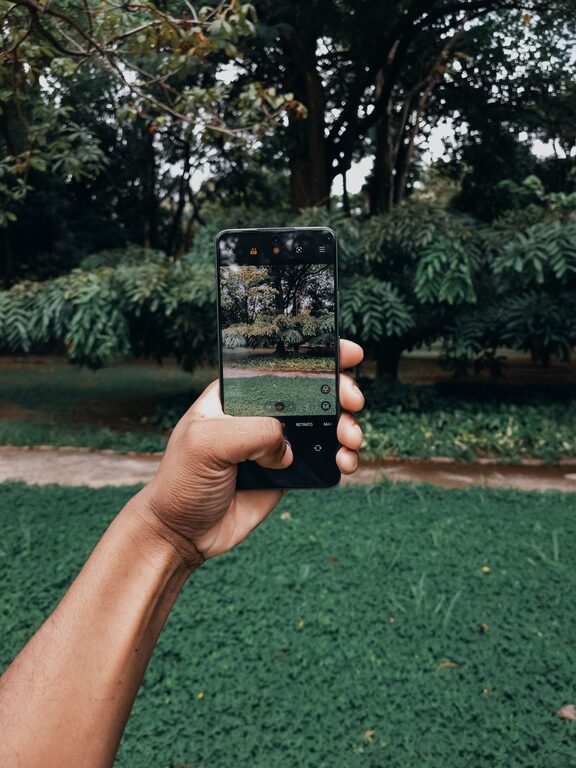
Taking great photos with your phone is easier than ever, thanks to the advanced cameras built into most smartphones today. Whether you want to capture moments with friends, beautiful landscapes, or everyday scenes, improving your phone photography skills can help you create more striking and memorable images. This guide offers beginner-friendly tips to help you take better photos with your phone, no matter your experience level.
Understand Your Phone Camera
Before diving into photography tips, spend some time exploring your phone’s camera features. Most smartphones come with multiple shooting modes, including portrait, panorama, and night mode. Learn how to:
– Switch between cameras (front and back)
– Adjust focus and exposure
– Use built-in features like gridlines or HDR
– Access manual controls if available
Familiarity with these options will give you greater creative control over your photos.
Use Natural Light Whenever Possible
Lighting is one of the most important factors in photography. Whenever you can, use natural light instead of your phone’s flash. Here’s why:
– Natural light creates more even, softer illumination.
– It reduces harsh shadows and highlights.
– Colors appear more vibrant and true to life.
Aim to shoot during the “golden hours” — shortly after sunrise or before sunset — when sunlight is warm and diffused. If indoors, position your subject near a window for the best results.
Keep Your Lens Clean
It may seem obvious, but many people overlook cleaning their phone’s camera lens. A smudged or dirty lens can cause blurry or hazy photos. To keep your lens clean:
– Use a microfiber cloth or lens cleaning wipe.
– Avoid using tissues or rough materials that could scratch the lens.
– Regularly check your lens before taking pictures.
Compose Your Shot Thoughtfully
Good composition can transform an ordinary photo into an eye-catching one. Here are some beginner-friendly composition tips:
Use the Rule of Thirds
Enable gridlines in your camera settings and imagine your frame divided into nine equal sections. Place your main subject along one of the gridlines or at their intersections for a balanced, dynamic photo.
Simplify the Scene
Remove clutter or distractions that take attention away from your main subject. A clean background helps your subject stand out.
Look for Leading Lines
Lines from roads, fences, or buildings can guide the viewer’s eye into the photo. Incorporating these lines can add depth and interest.
Experiment with Angles and Perspectives
Instead of always shooting at eye level, try different angles. Get low to the ground or shoot from above to create unique viewpoints.
Focus and Exposure Control
Phones usually focus automatically, but you can tap the screen where you want the focus to be. This also adjusts the exposure for that area. For the best results:
– Tap on your subject to ensure it’s in sharp focus.
– Slide your finger up or down to brighten or darken the photo.
– Avoid tapping directly on bright lights, which might cause underexposure.
Hold Your Phone Steady
Blurry photos often result from camera shake. To minimize this:
– Hold your phone with both hands.
– Brace your elbows against your body or a stable surface.
– If available, use a tripod or phone stand for extra stability.
– Use the timer or a remote shutter to avoid movement when pressing the shutter button.
Explore Editing Apps
Even small adjustments can make your photos look more polished. Many free and easy-to-use apps allow you to:
– Crop and straighten images
– Adjust brightness, contrast, and saturation
– Apply filters or presets for a consistent look
– Remove minor blemishes or distractions
Popular apps include Snapseed, Adobe Lightroom, and VSCO. When editing, aim to enhance the photo without overdoing it.
Practice Regularly
Like any skill, improving your phone photography takes practice. Try:
– Taking photos daily or whenever you have free time.
– Experimenting with different subjects and lighting conditions.
– Reviewing your photos critically to identify areas for improvement.
Over time, you’ll develop a better eye for composition and light.
Additional Tips
– Avoid zooming digitally, as it lowers image quality. Instead, move closer to your subject.
– Use portrait mode for photos of people or pets to achieve a blurred background effect.
– Clean your phone screen regularly to see your subject clearly while shooting.
– Back up your photos regularly to avoid losing your best shots.
—
By following these beginner tips, your phone photography will improve, and you’ll enjoy capturing everyday moments more creatively. Remember, the best camera is the one you have with you — so make the most of your phone’s powerful camera and have fun snapping photos!